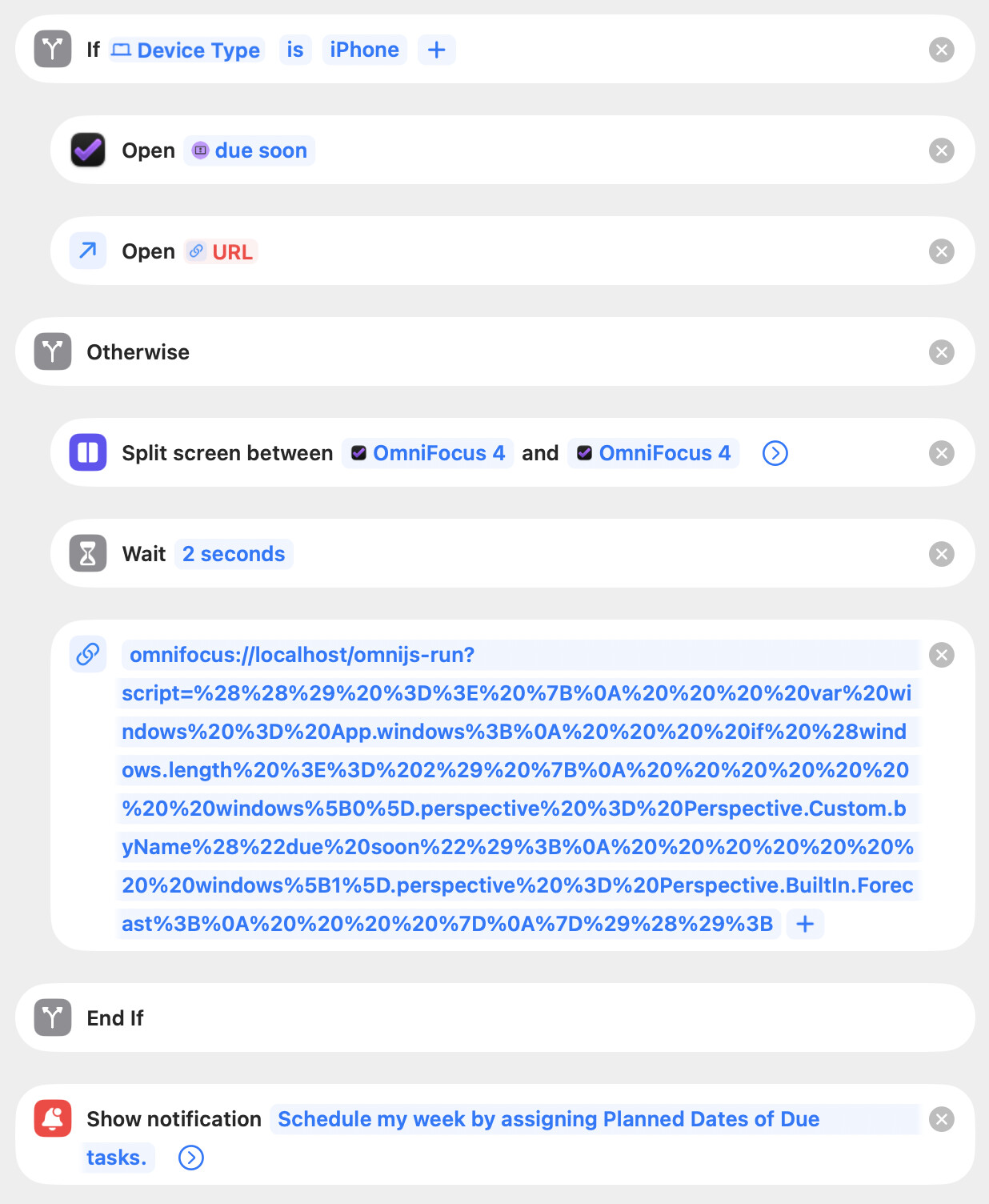
Hello Omni Automation Junkies.
I’m attempting my first Omni Automation script here!
I have an Apple shortcut that will run on my iPad. It opens two instances of OmniFocus on the iPad.
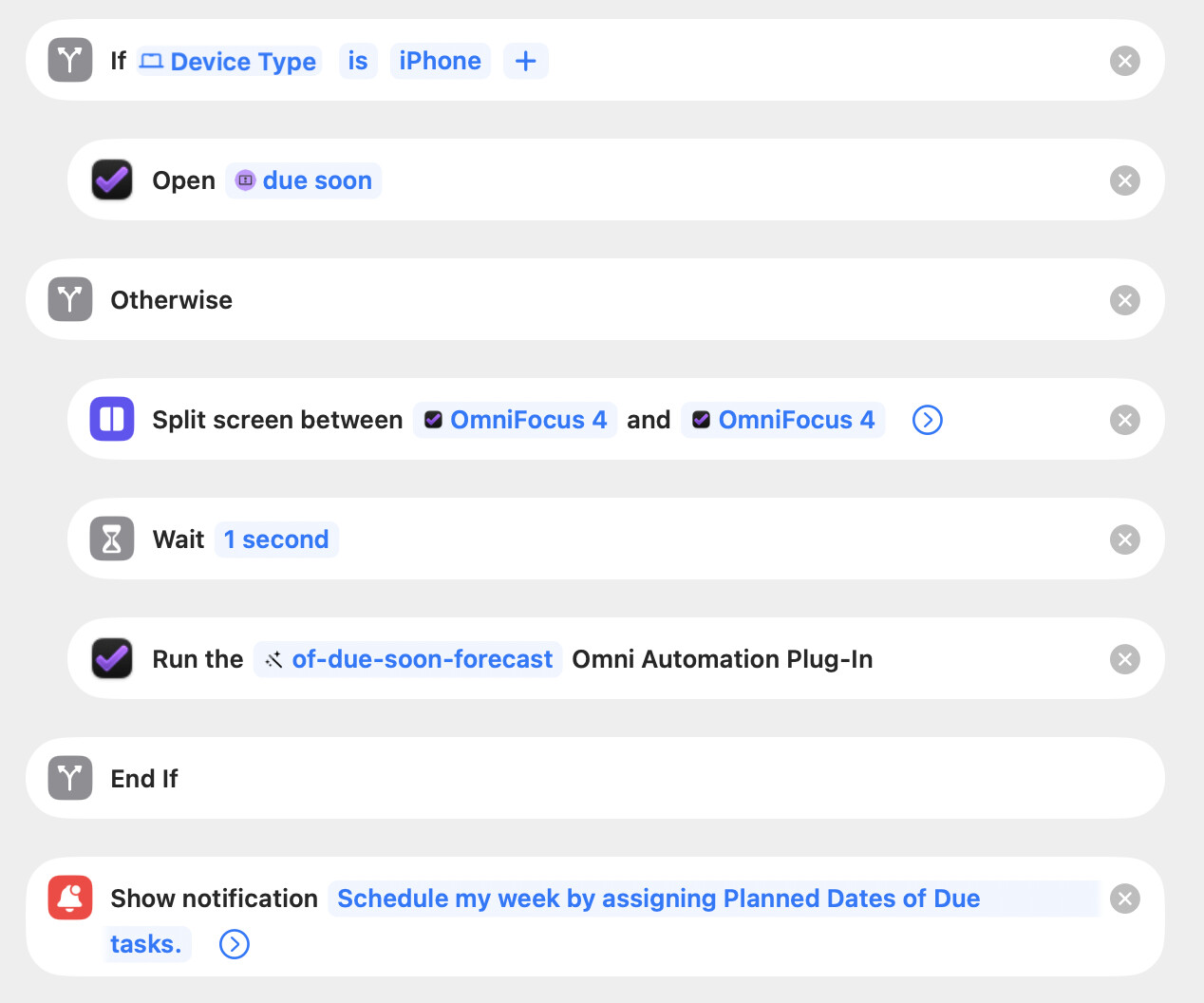
Then it runs a plug-in. I wanted to show a custom perspective called “due soon” on the left window and the OmniFocus Forecast perspective on the right.
I have no clue about javascript. I asked AI how would I do this. It suggested that I use a javascript and it created this word salad:
```</code></pre>
/{
“type”: “action”,
“targets”: [“omnifocus”],
“author”: “Wilson Ng”,
“identifier”: “com.user.of.splitview-setup”,
“version”: “1.0”,
“description”: “Sets Left side to Due Soon custom perspective, Right side to Forecast”,
“label”: “Set Up Split View Perspectives to show due soon and Forecast”,
“shortLabel”: “Split Setup”
}/
(() => {
var action = new PlugIn.Action(function(selection, sender) {
// App.windows arrays all active window layers currently on screen
var windows = App.windows;
    if (windows.length >= 2) {
        // 1. Configure the Left side window (Index 0)
        // Replace "Your Custom Perspective" with the exact name of your custom view
        windows[0].perspective = Perspective.Custom.byName("due soon");

        // 2. Configure the Right side window (Index 1)
        windows[1].perspective = Perspective.BuiltIn.Forecast;
    } else {
        // Fallback if you forgot to open the app in split-screen first
        document.windows[0].perspective = Perspective.BuiltIn.Forecast;
        new Alert("Split View Required", "Please open two OmniFocus windows side-by-side first.").show();
    }
});
return action;
})();
</code></pre>```
I created an iPad Home screen shortcut to start the shortcut. It opened the two OmniFocus windows and started the Omni Automation. But now I get this notification:

I went to Settings > Automation > Configure plug-ins and see that the plugin is in the OmniFocus iCloud folder. It appears connected.
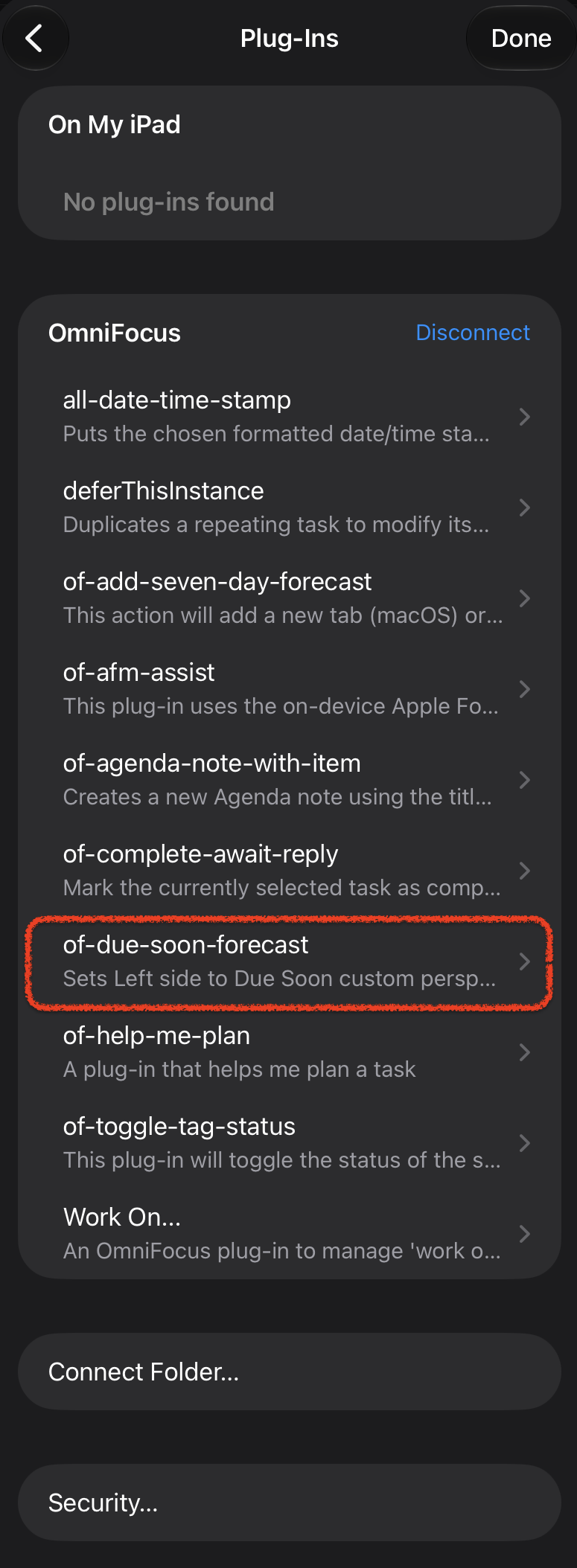
Am I missing something? Help? 😟
Sorry, couldn’t figure out Markdown code blocks. It’s late in the evening here and my brain is now mush.