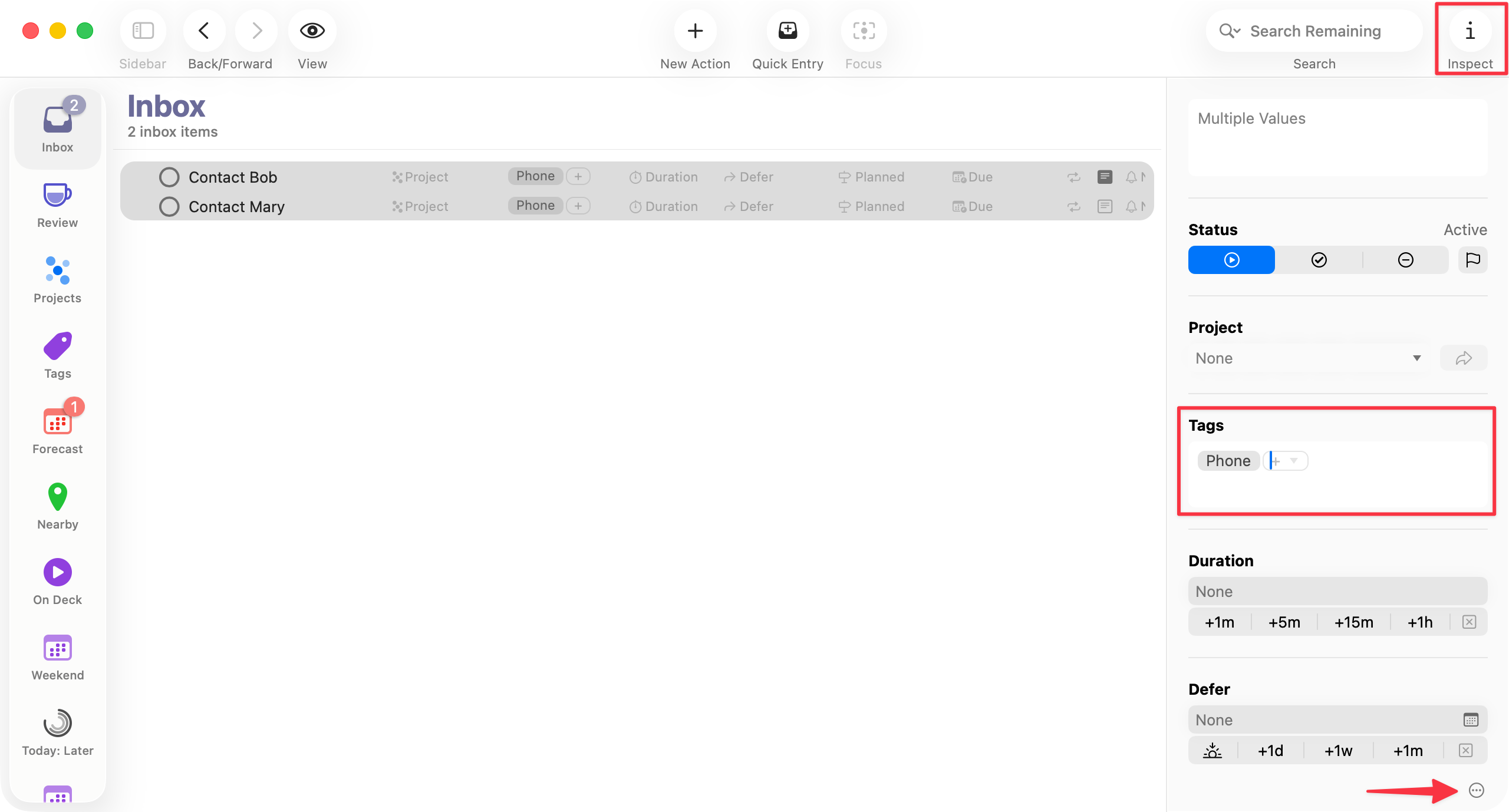
Hi there,
i’m simply trying to assign a tag to multiple actions (and/or projects) at once.
Please advise how to acoomplish this.
Thank you!
OmniFocus 4.8.3
macOS
Hi there,
i’m simply trying to assign a tag to multiple actions (and/or projects) at once.
Please advise how to acoomplish this.
Thank you!
OmniFocus 4.8.3
macOS
You can tag multiple items at once by selecting them in the outline view and applying the tags in the inspector.
If you’re not seeing Tags in the inspector, click the “…” button at the bottom of the inspector and choose either “Show All Inspector Fields” or “Edit Inspector Layout”. Alternatively, you can edit the inspector layout by going to Settings > Layout > Inspector.
I hope this helps!
Thank you for clarifying @timstringer , that works 🙏🏼