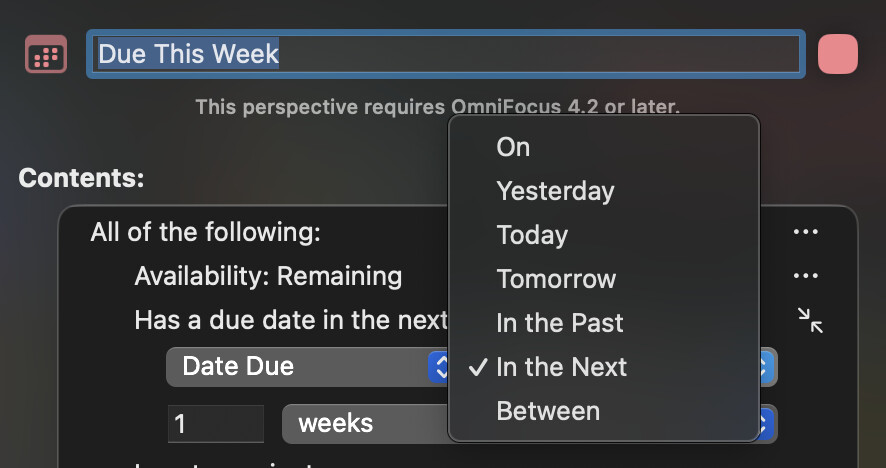
I’m trying to create a Perspective to show things due this week… there are options for dynamic dates e.g. Today, Tomorrow but no “This Week” — or am I missing something?
I have it set to within the next 1 week but that gives a rolling view of the next 7 days which will show things into next week.
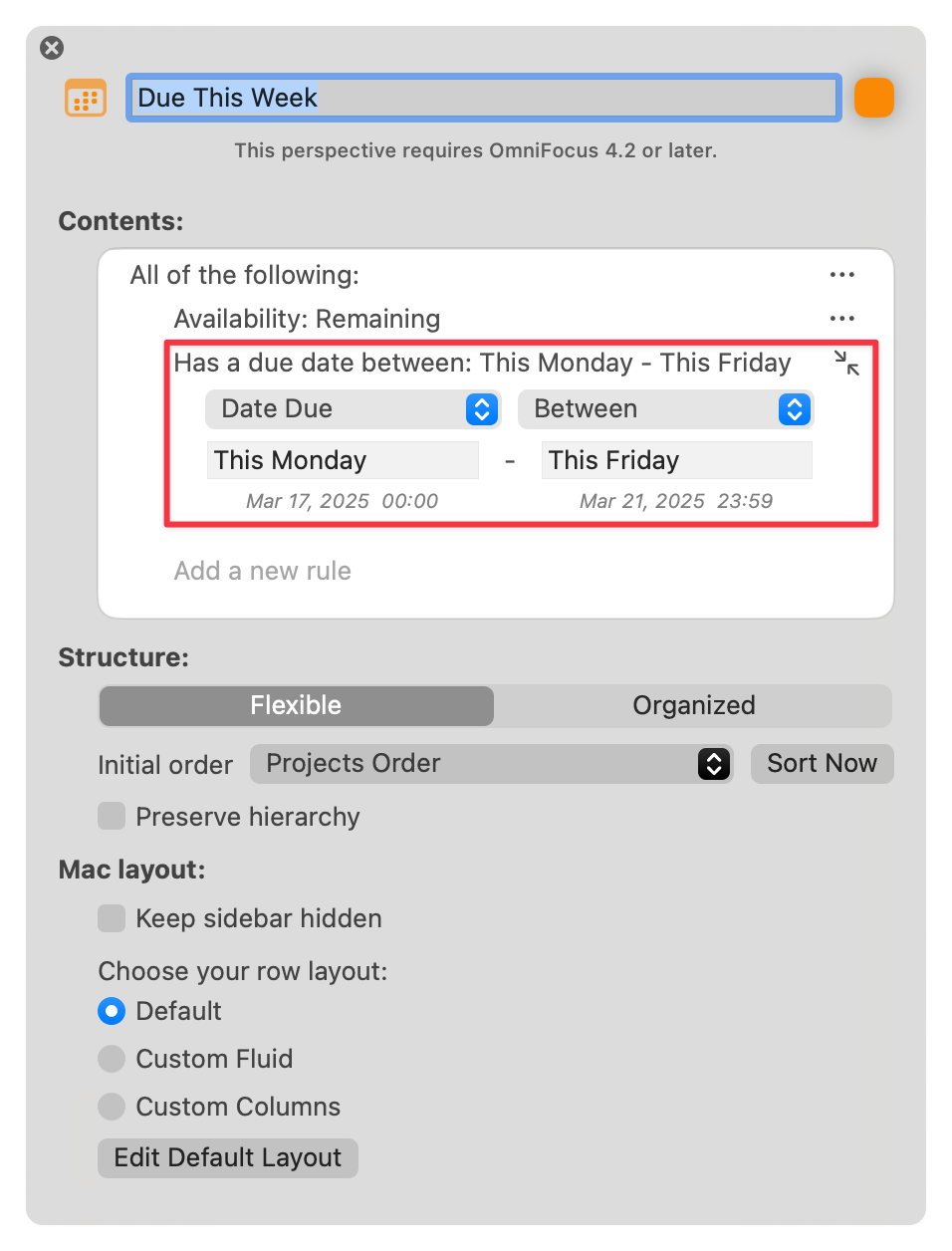
Common words — You can refer to relative dates using common words for periods of time. This, next, and last have specific meanings: this Friday always means the Friday in this week, next Friday always means the Friday in the next week, and last Friday always means the Friday in last week, regardless of what day today is. Other periods of time work in the same way. Examples: yesterday, tomorrow, tonight, next Thursday, last month, this Friday, next year
This looks like a great way to do this. I’ve gone in to set up the Perspective for the week and it keeps putting the Monday date after the Sunday. So there are no tasks in the list.
Is there something that I’m missing in the set up? Omni Pic.pdf (76.0 KB)
As far as I can tell, “this week” currently assumes the week starts on a Sunday. For example, today is Thursday, March 20, and if I specify “This Sunday,” OmniFocus interprets it as March 16.
I emailed the Omni Group to request that “this week” observe the system setting. I start the week on Monday and consider “This Sunday” the Sunday at the end of the week (i.e., March 23. in this example).
It says that the start of the week follows the system settings of the device. ( Can I set the First Day of the Week? - #2 by kcase? ). And in the calendar picker, for instance when choosing due date, it looks fine. But when calculating the dates for next week it still uses Saturday as the last day in the week. Any tips? Is it a bug? @kcase
My OF used Monday as the start of the week, but when I type “this week” in a Planned/Due etc field it uses Sunday as the date. That is just plain wrong for my settings and frustrating.