Continuing the discussion from Way to automate hide/show Perspectives Bar on macOS?:
Other Task Mgmt applications that I have used were much more orientated to drag and drop. OmniFocus with the inspector and the data entry required seems much more like an IBM Mainframe app.
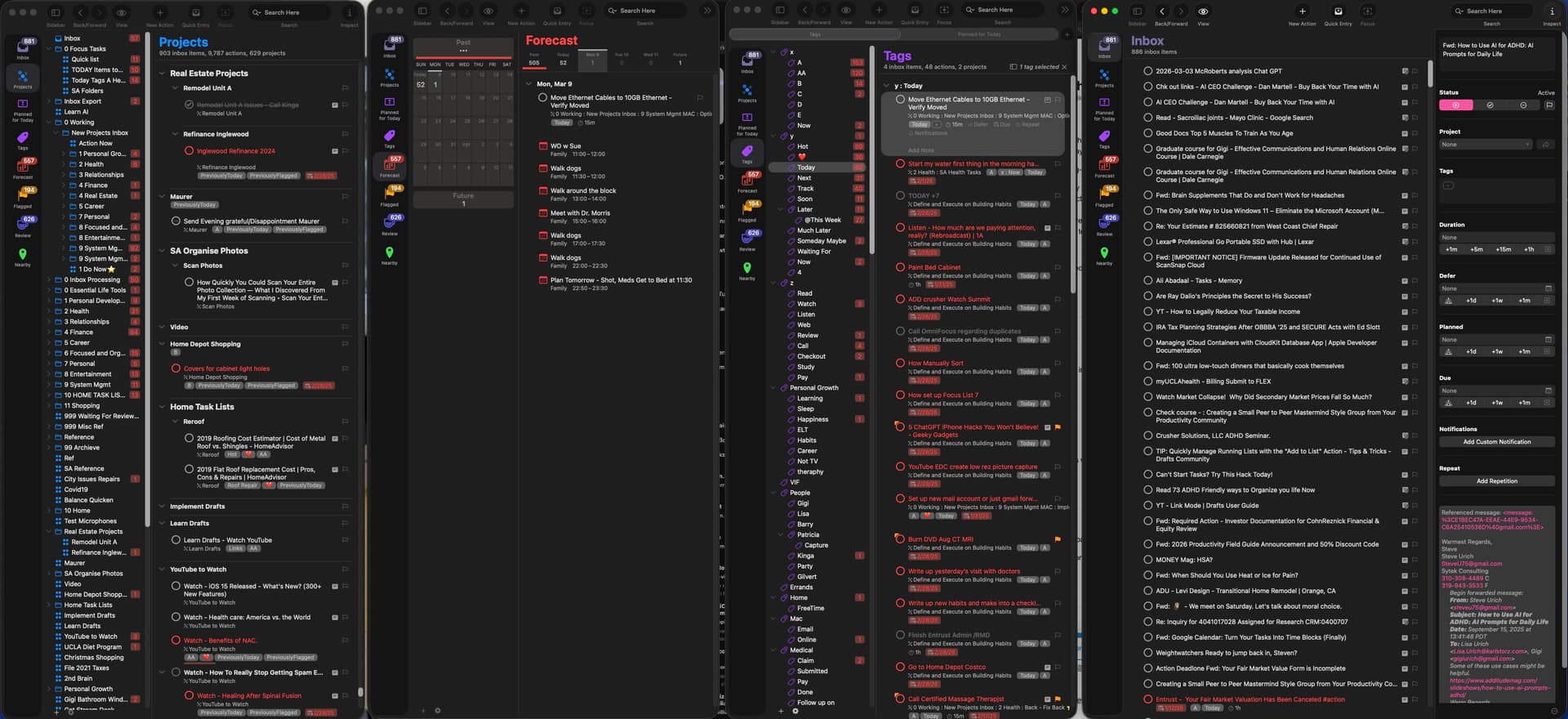
I want to open up four windows, one just showing the projects, one just showing the forecast or maybe calendar, one showing tags and then one that is full screen showing the inbox or any other project I wanted to go into.
That way instead of having to go to the Inspector I could just drag the task to the right project and tag and even assign it a date by dragging and dropping.
Unfortunately when you just try to show those areas you can’t shrink the window down to just get the individual attribute. For example if I just wanted to see one Column with all the projects. It would be great if how many focus mirrored what Finder does in the column view so that when you just clicked on the project it would show what is contained there.
Maybe I’m missing something is there a way to do that in version 4
I would just like to see the second column in the first three windows