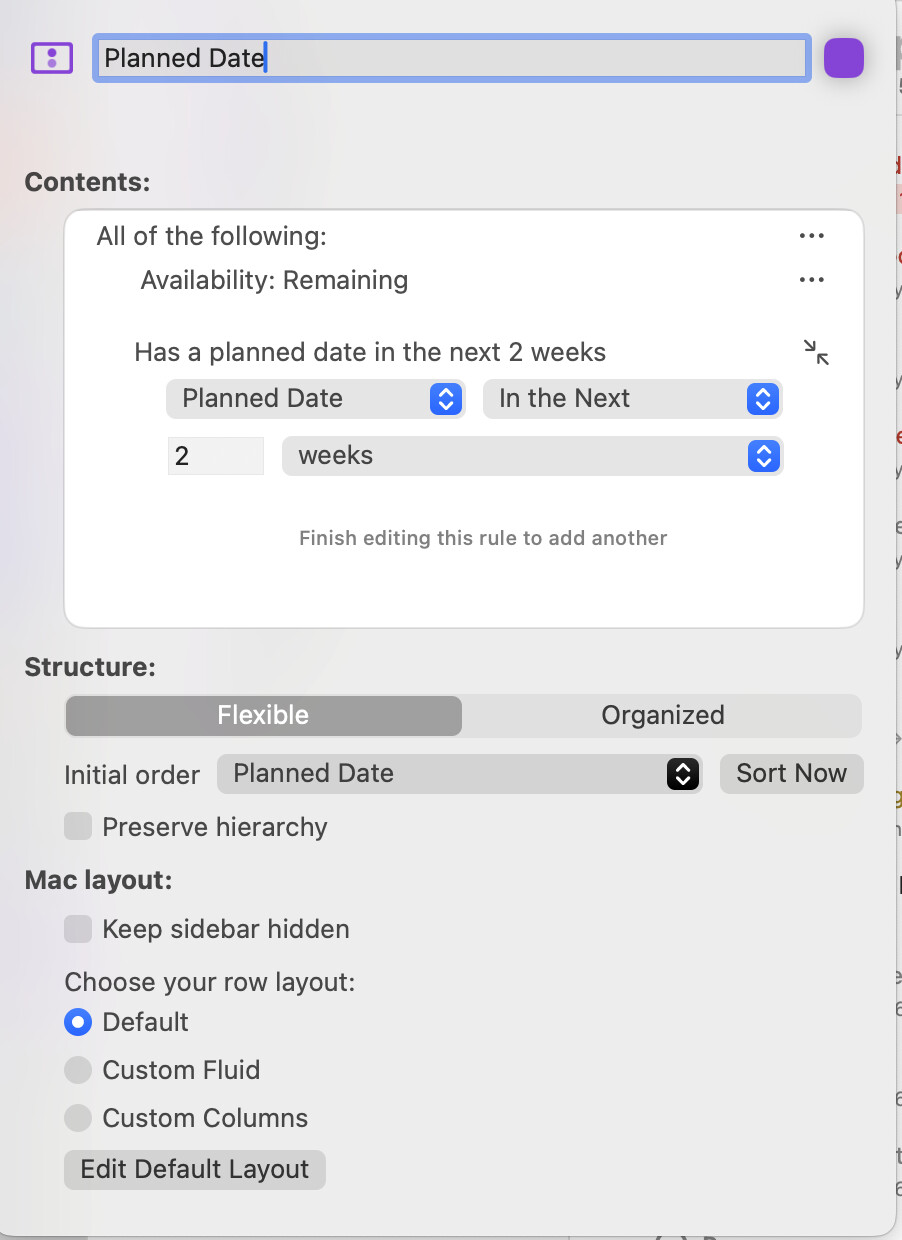
I’m coming to OmniFocus v4 from v3. Creating the folder and project metadata now.
I’ve been playing with the new Planner date. This is the coolest thing since sliced beer*. It has solved my problem of having tasks appearing in the Forecast perspective that have a date to be done, but not a particular time. (Essentially a timeless dated task.) A Defer date gray’s the task for a start time during the day if it’s not an all-day task. And I’ve also incorporated tasks with all 3 dates: Defer, Planned, and Due. This is great!
Whoever had the flash of brilliance to invent this field, I salute you.
In addition to the examples Geoffairey posed, here’s one more.
Take for an example a task that you cannot do until 15 June and must be completed by EOD on 19 June. The 15th is the Defer date and the 19th is the Due date. Together they form a date range within you work the task.
Enter the Planned date. At the beginning of that work, you may set Planned date to the 15th (the beginning of the date range). Then, as that week progresses, you can keep moving the Planned date forward one day when (at the end of a day) the task is in progress but remains unfinished. That is, you’ll resume work on the 16th. Each day, you use the new Planned as a statement of intention to work on that task as the week progresses.
Suppose you have scheduled a block from 3 to 4 pm to install something on your garage, and you couldn’t complete it. How would you handle that scenario, if you don’t mind sharing ?
Some tasks are difficult to estimate. Section 4.1 seemed not to difficult so a 2-hour block to complete it made sense. However, during the session I would realise that I needed many more hours because a certain theorem proof is really involved.
I work from my Remarkable tablet during the day from my Daily Note which was prepared at the end of the previous working day. I don’t actively work from OF, it’s purely a planning tool.
At the end of the day as part of my review I’d complete that task (potentially with a note of what had been completed), and add another task to the project detailing what was outstanding before (if appropriate) either assigning a planned date at that point, or giving it a tag of “C - Available” to be scheduled during one of my future reviews.
I handle multiple projects at once and don’t always have the ability to assign a new planned date straight away.
I have to say though that I rarely fail to complete a planned task in my current role. (That wasn’t true in my previous role)
Actually, this is a lie. I have several template checklists I use (e.g. for creating and releasing a new document, or completing a Risk assessment of a potential supplier) but I use those in OF for the Web (I can’t install OF on my work Mac) and check those off as I complete them in a Deep Work appointment with myself.
That is interesting. In many jobs/occupations (certainly in some areas of my CS field), we discover more about the nature of a task while we start doing it. So, it’s difficult to estimate beforehand how much time/effort it’s going to take.
I’ve tried to use the planned date, but I find it ends up being too much of an annoyance. Ends up causing friction and micromanagement in my approach. I like the concept but it doesn’t work in my reality.
I completely understand that, I’ve worked a lot with Software developers where estimates of how long something could take are heavily influenced by technical debt, by lack of a full understanding of the problem, or even just a programming language function not working how it was expected to. SWAGing how long something would take (scientific wild ass guess) is by it’s nature an estimate without knowing all of the answers.
My work is a little more free flowing and in many cases reproducable.
How can I see a task from the defer date in the agenda ?
I would like to see it from that date till the due date in the agenda. This way I will be able to know that I have to work on it even if it is not the due date.
Thank you for your reply.
I was talking about the calendar view where you see the planned tasks :
I would like to find the tasks from Defer (or planned) date till due date.
For exemple I want to see a task on which I will be able to work from 01/01 (defer / planned ?) to 15/01 (due date) on each day.
You can’t show it on every day. That’s not how it works (Unless you set an individual task planned for each of those days in a project. This is by design as the Forecast isn’t to show you what is available on that date (you can make a perspective for that) it’s to show you what is due on that date.
As default it will show the task on the due date, in the settings under view (the Eye icon), you can also show all tasks on the Defer date and the Planned Date.