This space has always existed in all versions of OmniFocus in macOS 26 betas.
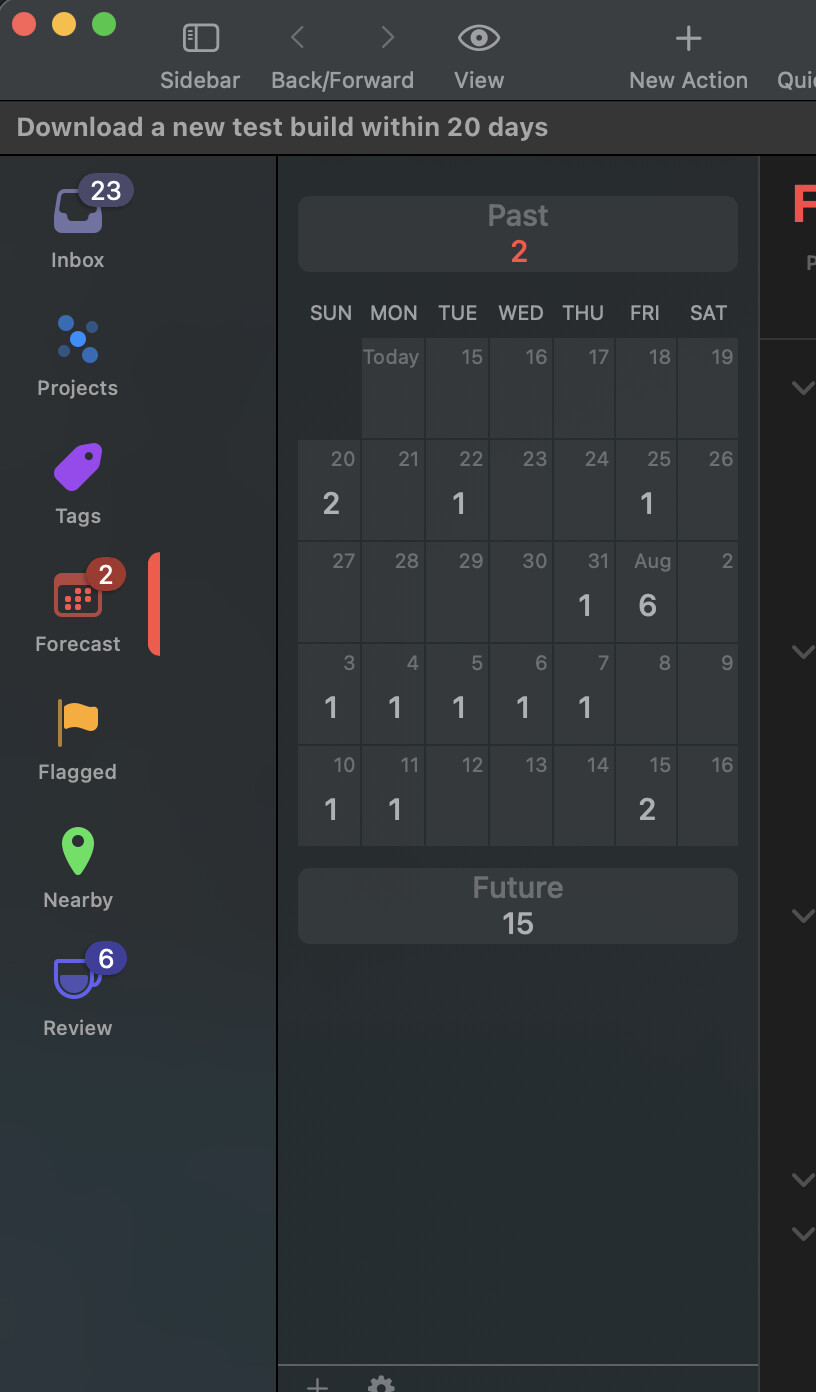
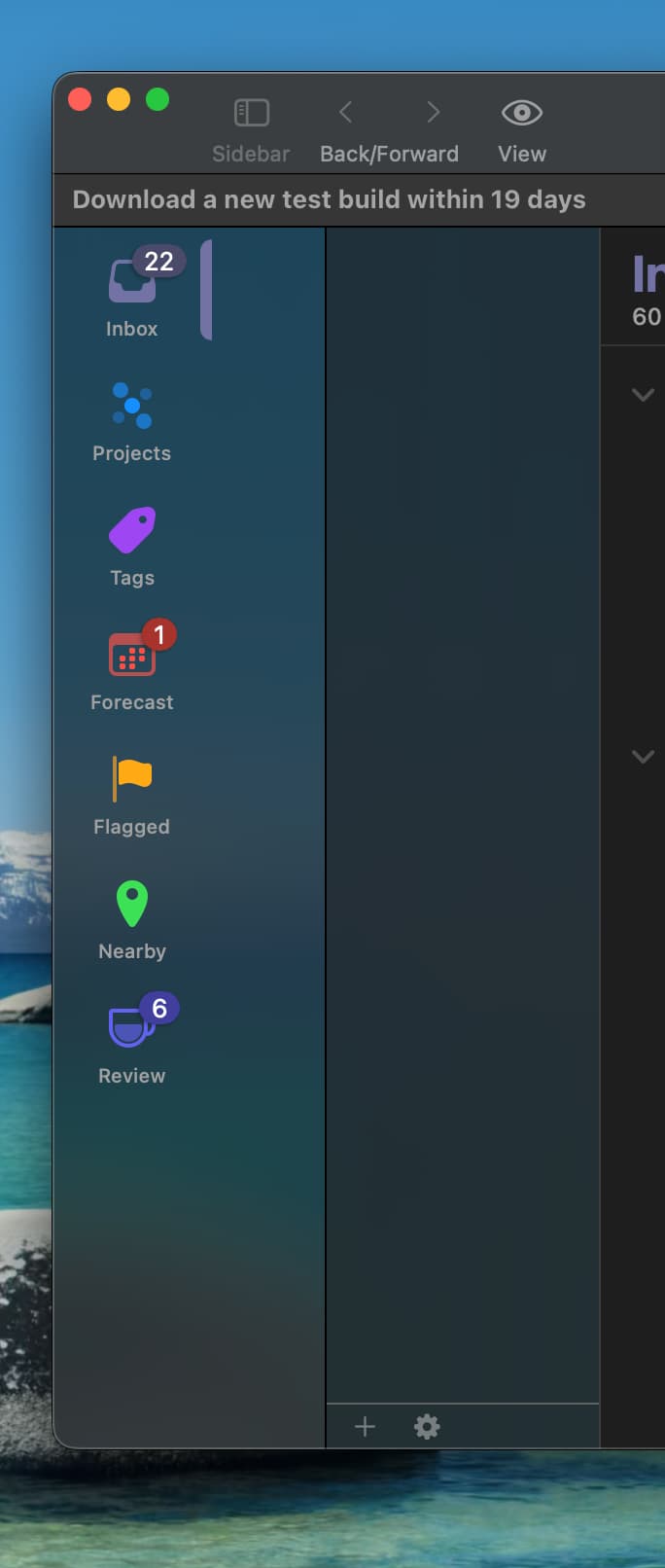
I’ve been using the macOS 26 betas since WWDC, and I don’t think I’ve seen that behavior on any version. Here’s what I see:

But I’m not denying it’s happening to you! Your screenshot is pretty clear evidence that it is. I’m just noting that it isn’t universal, and in my experimentation so far I haven’t been able to reproduce it.
I’ve tried creating a perspective named “LongPerspectiveNameThatMightStretchThings”, turning off/on visible scrollbars, hiding and showing the perspective bar with Option-Command-P, dragging the boundary between the perspective bar and the sidebar, and so on. No luck yet. If you figure out a pattern, I’d love to know what it is!
2 Likes
Hey that perspective name was a rib tickler!
Unfortunately, no pattern is observed. I’ve observed this behavior since day one WWDC.
I am unsure if chipset matters, but this is a fresh install of Tahoe beta on M1 16” 2021 MacBook Pro.
Please let me know how to go about sending you anything you might need to isolate the cause. It just happens each time the app is launched.
I understand it isn’t or may not happen with anyone. That’s the nature of beta software! :D
EDIT: I even went about reinstalling the app, by happenstance, a few days ago. Same thing. I will see if a total reinstall of both operating system and OmniFocus with their respective latest versions might help fix some random snag somewhere in my system.
1 Like
Same behavior here since the first beta of macOS 26 (MacBook Air M1 2020 and iMac M4 2024) with OmniFocus 4.6, 4.61 and now 4.7 beta.
Wondering what setting configuration might be causing this issue!
You could try exporting a copy of all the local app settings from your Mac to a file by running this command in Terminal:
defaults export com.omnigroup.OmniFocus4 ~/Desktop/OmniFocus4-defaults.plist
And then you could try resetting all your settings, by quitting the app and running this command:
defaults remove com.omnigroup.OmniFocus4
After the experiment, you can restore your local settings by quitting the app again and running this command:
defaults import com.omnigroup.OmniFocus4 ~/Desktop/OmniFocus4-defaults.plist
This might help us determine whether the setting is a local app setting or is something systemwide (or related to your data itself, which wasn’t reset in this process).
1 Like
Thank you for your continued involvement and assistance!
Here are the results, after the local settings were deleted and app reopened:
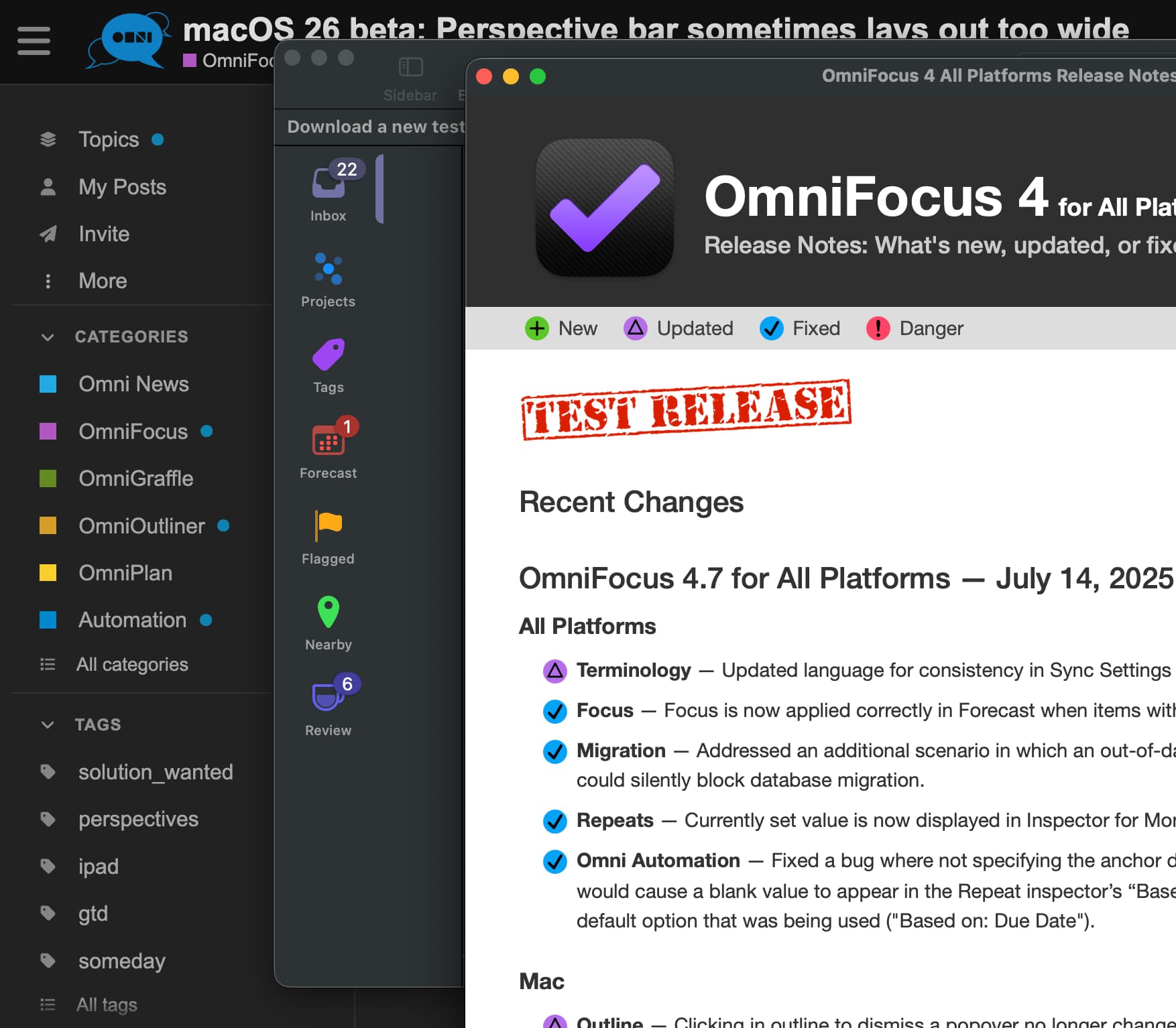
It appears that the gap is equal, don’t you think?
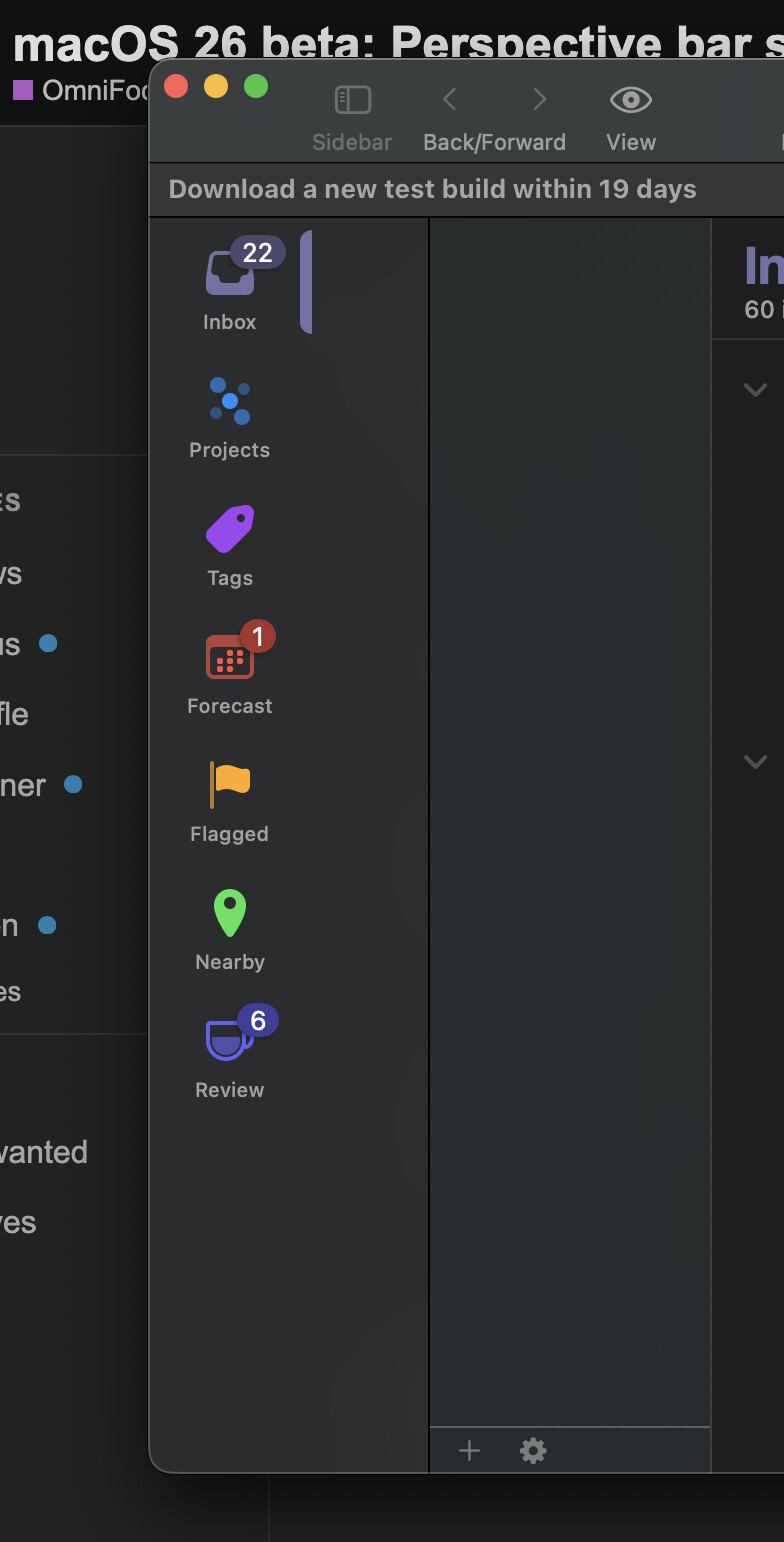
And here it is, with settings restored:
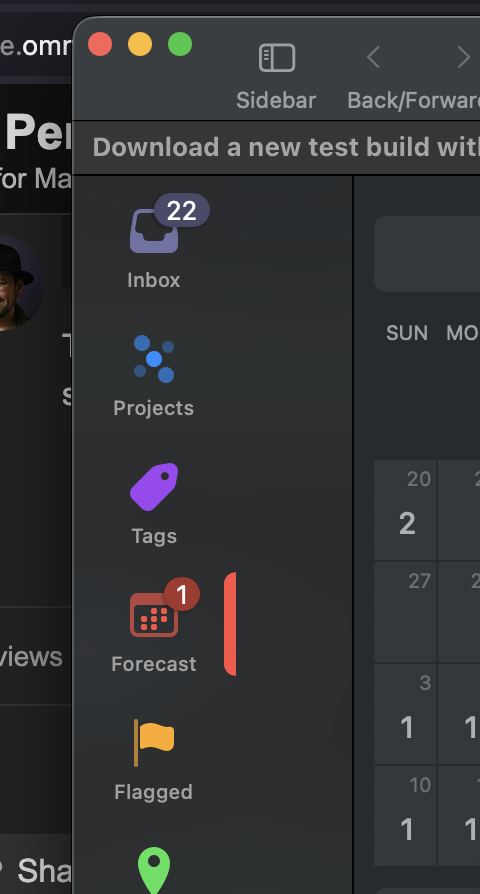
This gap is certainly less than what was after the settings were reset, but seems like it is still equal to the perspective bar. Maybe something in the settings plist… you’d know better!
Hmm. Do you have multiple screens? Do they have different numbers of pixels per inch? I’m wondering if the width calculation could be happening for the wrong screen or something.
My apologies for the delay in responding. That is sound logic you have there! However, I have not connected any external display to my device. We are looking at the laptop display.
By any chance, have you configured your startup disk differently? Enabled Journaling/ Case-sensitive options, etc.? I am trying to narrow this down at my end, too.
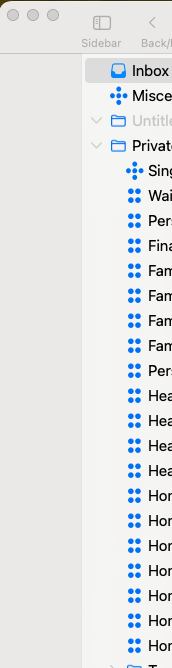
I have an issue related to this i guess, but for me the perspectives area on the left is completely empty. I can still open various perspective through the menu, but it seems that here it is acting strange.
Was not an issue in any of the previous builds, happened since I installed the latest MacOS 26 Beta
System Version: macOS 26.0 (25A5351b)
My apologies for not following up in this thread sooner!
What’s going wrong is that the split view changes in macOS 26 are causing a conflict in the auto-layout constraints for the perspective bar (as its metrics have changed). Since those rules are now in conflict, the system arbitrarily picks one of those constraints to break so the rest of the system can resolve.
Unsurprisingly but unfortunately, breaking an arbitrary constraint means the perspective bar is no longer following the rules for its layout that we intended, so we end up with the perspective bar in the wrong place, or blank space next to it, etc.
These layout constraints are a tricky to debug because it’s a massive system of linear inequalities. We can see that two constraints in that system conflict (i.e. two rules saying “This view should be at least this number of points wide” with different numbers), but we have to dig into the system to figure out how everything should be adjusted so they can be consistent again. (And as we fix the layout on macOS 26, we need to make sure we don’t break the layout on earlier versions.)
The upshot of all this is: we’re still working on this! Sorry for the delay, we hope to have it fixed soon.
2 Likes
Ken, thanks for keeping in the loop.
I should say, though, that OmniFocus 4.8 test build on macOS 26 completely solves the issue, and while at it I also want to commend and laud your team and you for the design refresh on both macOS 26 and iOS 26. Beautiful. Can’t wait to see the final polish! Radically refreshed experience with OmniFocus on iOS!
1 Like
Update from my side, interesting enough I only had this on my work Mac, on my private computer with same MacOS Version it works… Hope this helps :)
No worries Ken, thanks for letting us know where you are with this.
We all know that working with Beta causes stuff like this 👌
