I am in PST, and it is 8:47PM now. I have a task 1 hour later that is showing up as “yesterday”, and if I do the menu “Edit > Insert Time Stamp >…”, I get 10/30/25 3:47AM.
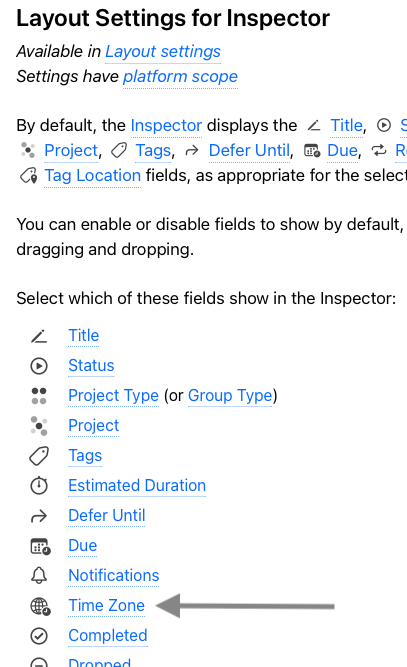
In inspector, even if I ask it to show timezone, I do not see it.
I am on Omnifocus Pro, 4.8.5 (v185.3.0).
FWIW, the clock on my Mac is showing the correct time and I am not on VPN etc…
Go to Mac OS → System Preferences / General / Date & Time
Is your time zone or location it is fixed or set as floating?
Did you make the time zone field accessible in the inspector layout and select “not fluid” for your task while you were in a different time zone (on vacation)? Make the time zone window visible in the inspector layout and then check the task settings.
Another reason for a time zone shift could be a tag with a location specification. Click on the tag for the task and check in the inspector to see if a location has been assigned to the tag (possibly accidentally).