A lot has changed in the upcoming OmniGraffle 8 and we’re really excited to share it with you all. Today we’d like to introduce you to the on-canvas Inspector HUD. If you’re already testing v8, you’re hopefully already familiar with this feature, but there may be some functionality you haven’t yet discovered. Please note that OmniGraffle 8 is still in pre-release so some of the UX shown might not be final.
The Inspector HUD is a new way to quickly modify your current selection right on the canvas.
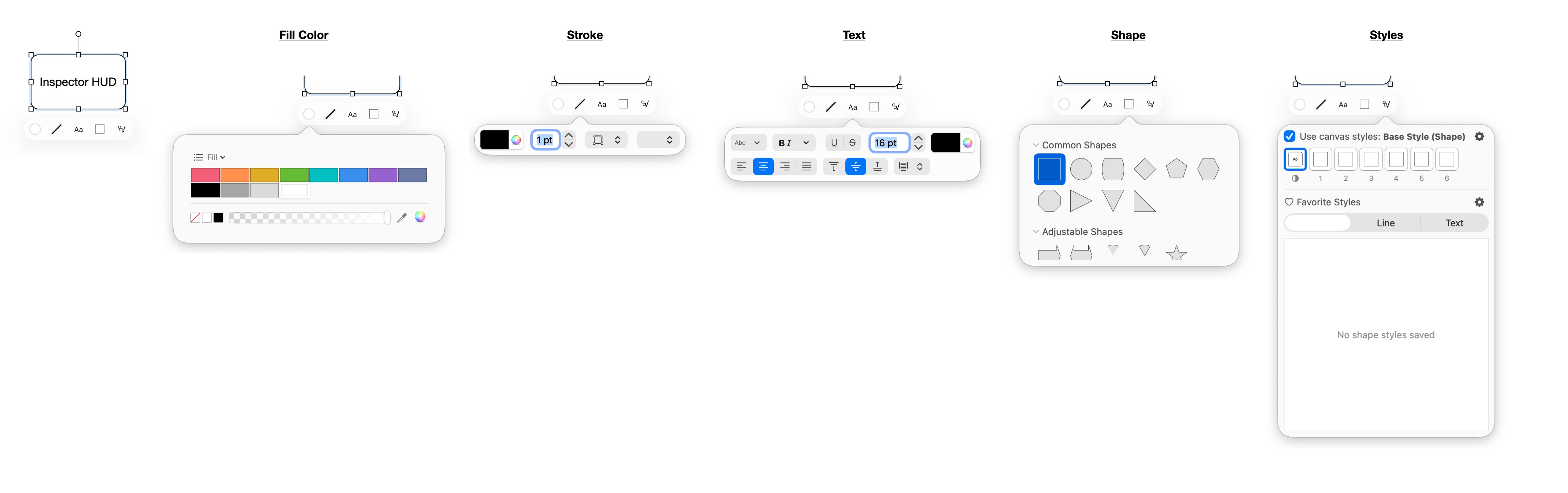
Unlike full Inspector Palettes, the HUD only shows you controls which are relevant to your current selection, and many of these controls are simplified for quick use. For example, if a single shape is selected on the canvas, the HUD provides access to controls for changing the solid fill color, common stroke options, common font and text options, changing the shape, and applying favorite styles or Canvas Style variants.
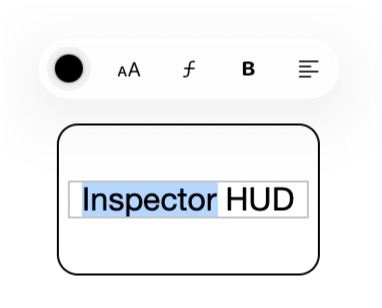
When editing text, the HUD displays controls for text color, size, font, style, and horizontal alignment. In this situation the Inspector HUD prefers to appear above your object to reduce the chance of it overlapping your text or needing to frequently reposition as more lines of text are added.
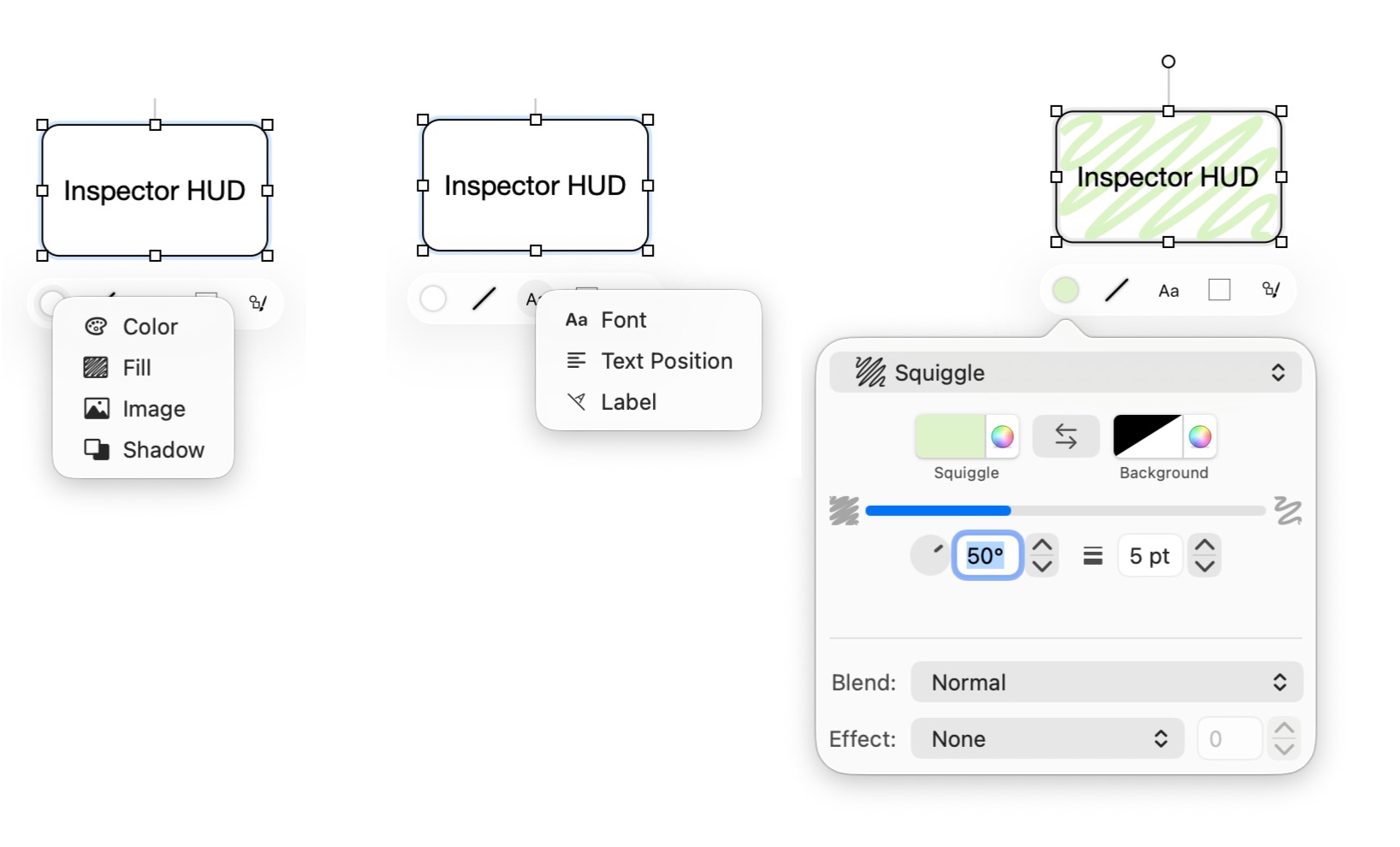
If you find that you need to access additional options not presented in the HUD, you can access full palettes and additional related palettes by right-clicking on the Inspector HUD buttons.
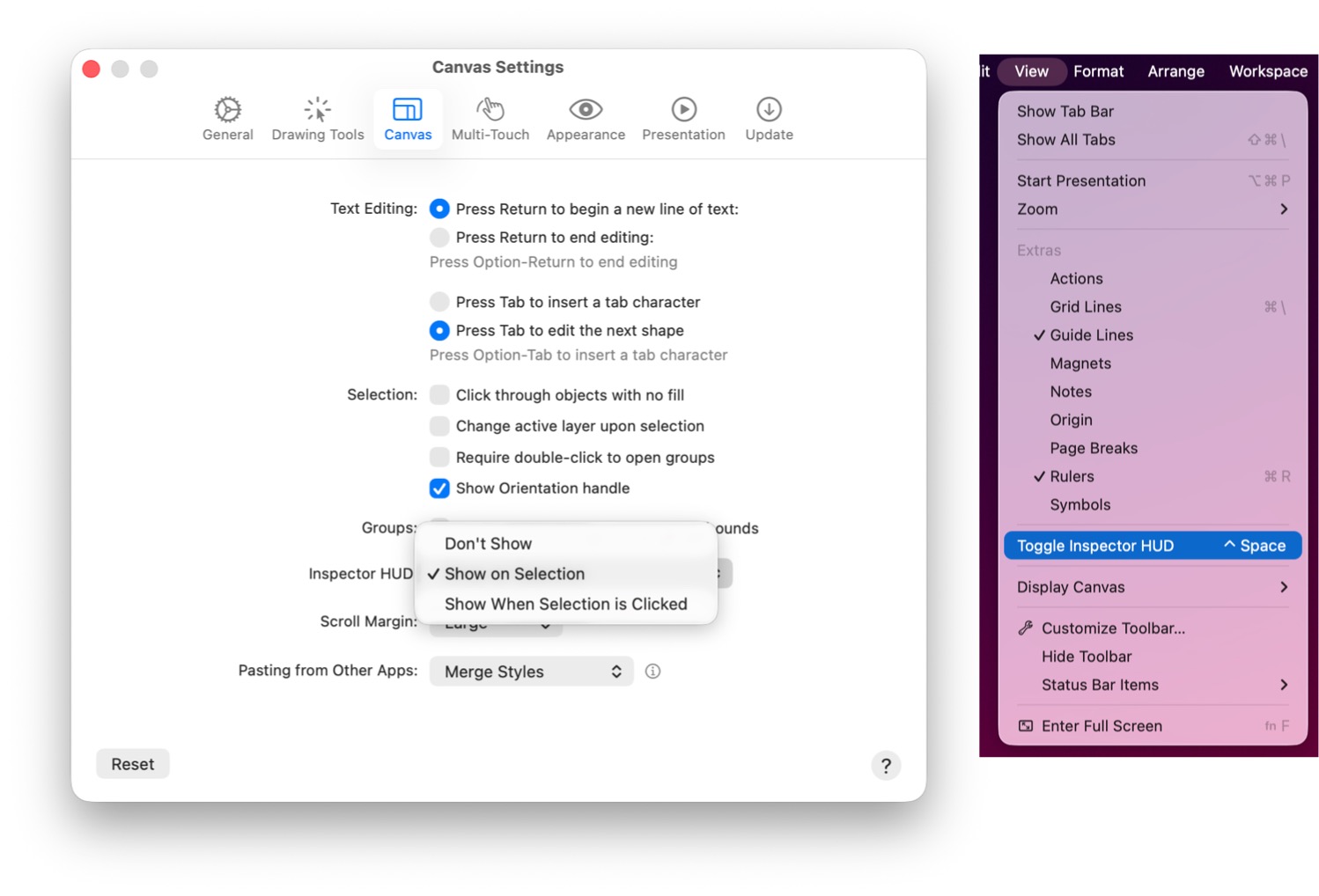
If desired, you can customize when the Inspector HUD appears. By default the HUD appears immediately on selection. In the Canvas tab of the OmniGraffle Settings you can change the HUD to instead appear when you click on your current selection or set it to never automatically appear. The HUD can be manually shown via the View > Toggle Inspector HUD option in the menu bar (this menu option can also be assigned to a keyboard shortcut of your choosing).
With the Inspector HUD you can quickly make style changes to your content without relying on a persistent set of Inspector palettes, giving your canvas more screen real estate and improving the efficiency of common style adjustments. We hope you find this a valuable addition to your OmniGraffle workflow. The Inspector HUD is available on Mac, iPad, iPhone, and Apple Vision Pro.
Any questions, comments, or requests regarding the Inspector HUD? Please let us know! If you are interested in trying out test builds, head to our Omni Test Signups page.
