Put the latest created task to the top in its parallel project!
”Parallel is a Project or Action Group that contains actions which may be accomplished in any order. By default, all Active actions are considered Available.”
So if I have a project called “Soon” to do and I want the latest added item/ task to land at top, this cannot be done, although to use guide says explicitly parallel projects can be accomplished in any order!
There should be an option in the settings for a specific solution, which would allow the user of parallel project or single action list to bring the latest added task or action to the top.
This has been asked for by OF customers, as I can see on the forum, since at least 2008, which is 17(!) years ago, and OmniFocus is still not able/ willing to implement this.
Usually I add a new task to the Inbox, and after a while (day+) I assign a project etc to it,
or
quite often I use the Quick Entry-module and with it the task always lands deep at the bottom of a project.
And sometimes, when a project has sub-groups, I can’t even find it to pull higher up, I have go to Find it.
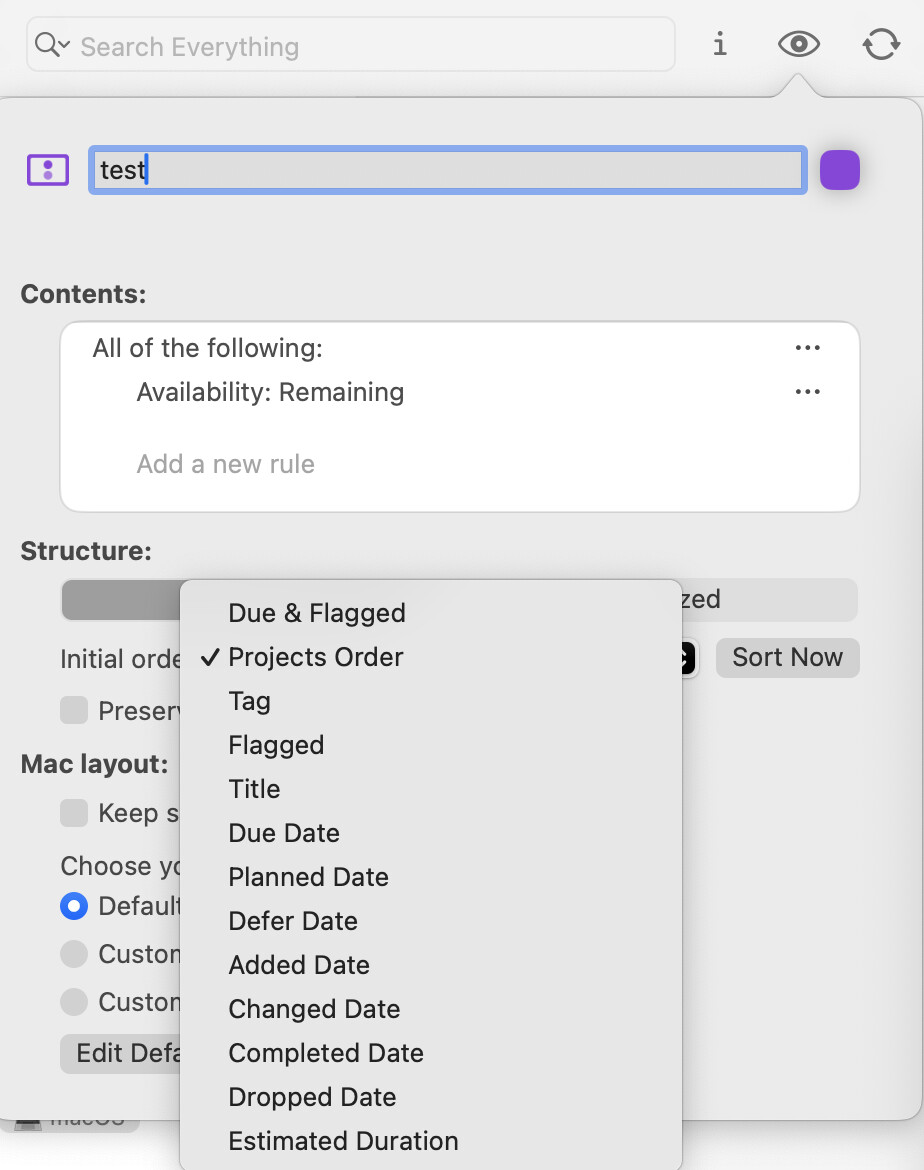
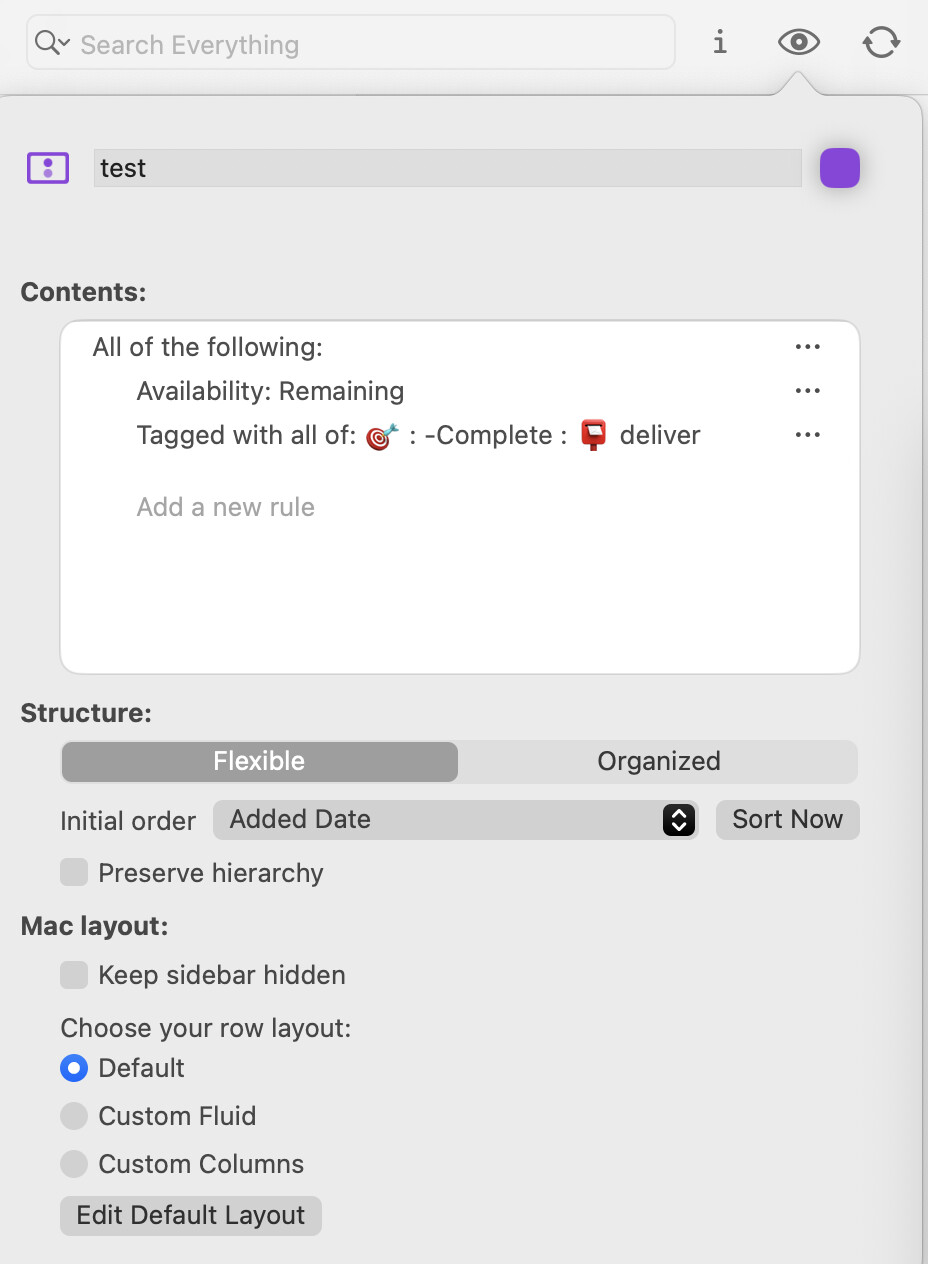
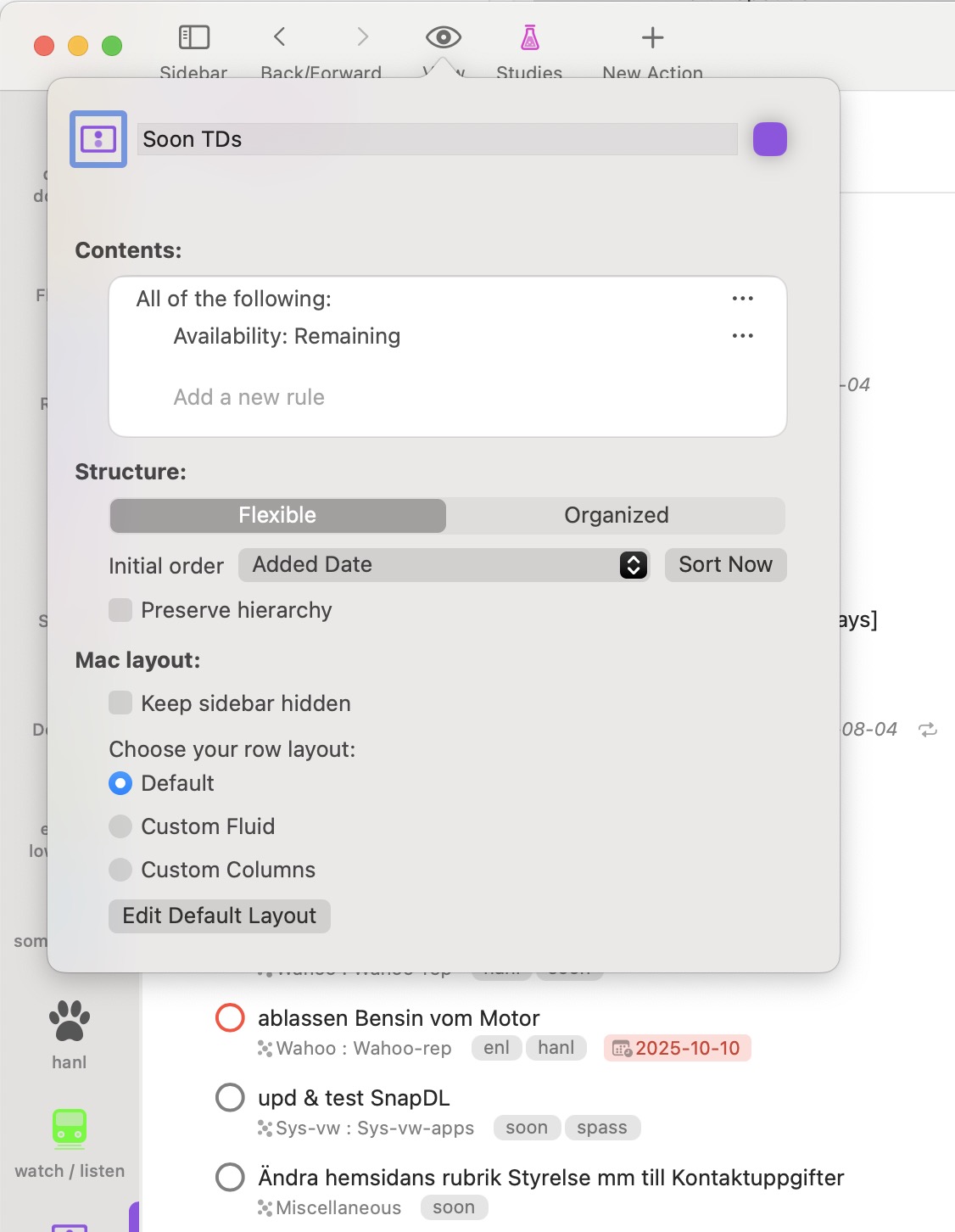
OK. Your issues seem to be with difficulties in moving a task from the Inbox or Quick-Entry mode to a specific location in a specific project or action group. I have no immediate suggestions in this case. Otherwise, if your issue is with viewing or doing a newly added action before viewing or doing any other actions, perhaps you can get what you want with a different approach. You could create a perspective to show tasks sorted by date added. The newest ones will be at the top. Otherwise, if you really want to do a newly added action before any other actions in a certain project or group, you probably should be putting the action in a sequential project or action group, not a parallel one.
Please spend time exploring the settings and options when creating or editing a Perspective. You can change settings in the Perspective dialog editor without harming your database of tasks. Eventually, you can keep or delete the Perspective, again without harming the tasks in your database.
You will learn far more by playing around and watching what happens in the view of tasks than you will by continuing to ask "how do I do this " here.
Exploration is a purposeful discovery of what is currently unknown. Anything else is simply repetition of what is already known.
The list is showing all tasks, tagged or not tagged, until you select tags that you want to show or not show. What did you expect instead, and why did you expect something else?
The behavior in setting Perspectives is logical, not random or mysterious. The logic is best revealed not by taking one timid step and stopping in confusion, but rather by taking many steps to reveal the patterns.
So again, I encourage you to explore. Try other settings. See what happens. Keep notes. Discover why what you think should happen is instead not what happens. Learn for mastery rather than learn for limited utility.
I think you are not exploring to learn, you are asking to be told. And you are likely not reading the manual either. Nor perhaps taking time to see whether videos exist for insights.
The saying … Give a man an answer, and you feed him for now. Teach a man to learn, and you train him for a lifetime.
I leave now. Perhaps someone else with more patience might take over.