I have over 500 items to which I have attached a total of a variety of over 30 tags. Usually one, two or three.
Because I’m just not making real use of them, I’ve decided to simplify my (OmniFocus) tagging system.
Maybe just half a dozen or so - like:
Computer - software
Computer - hardware
Finance
Health
Practical
Research
But how can I safely asign every one of these (sometimes new; almost always different) tags to every existing item without having to go through all of those 500+ items manually, please?
I’m not sufficiently AppleScript savvy to write it for you here on the spot but am confident this can be done with AppleScript (I’m assuming this is a one time conversion?). Try asking ChatGPT to draft an initial AppleScript for you to debug?
Don‘t know what exact target system you have in mind. Can you map specific „old“ tags to one of the new tags? Then use the tags perspective, select a tag, select all actions within the tag and assign a new tag in inspector.
Without knowing how you‘d map old tags to new ones it‘s not possible to provide an automation solution.
I bet I could do that. Several (most?) of the items for any one Tag (in the Inspector) have multiple tags, which - if I’m understanding your kind suggestion properly - would rule out bulk changes. Wouldn’t it?
But, thanks again: it’s given me something to experiment with :-) .
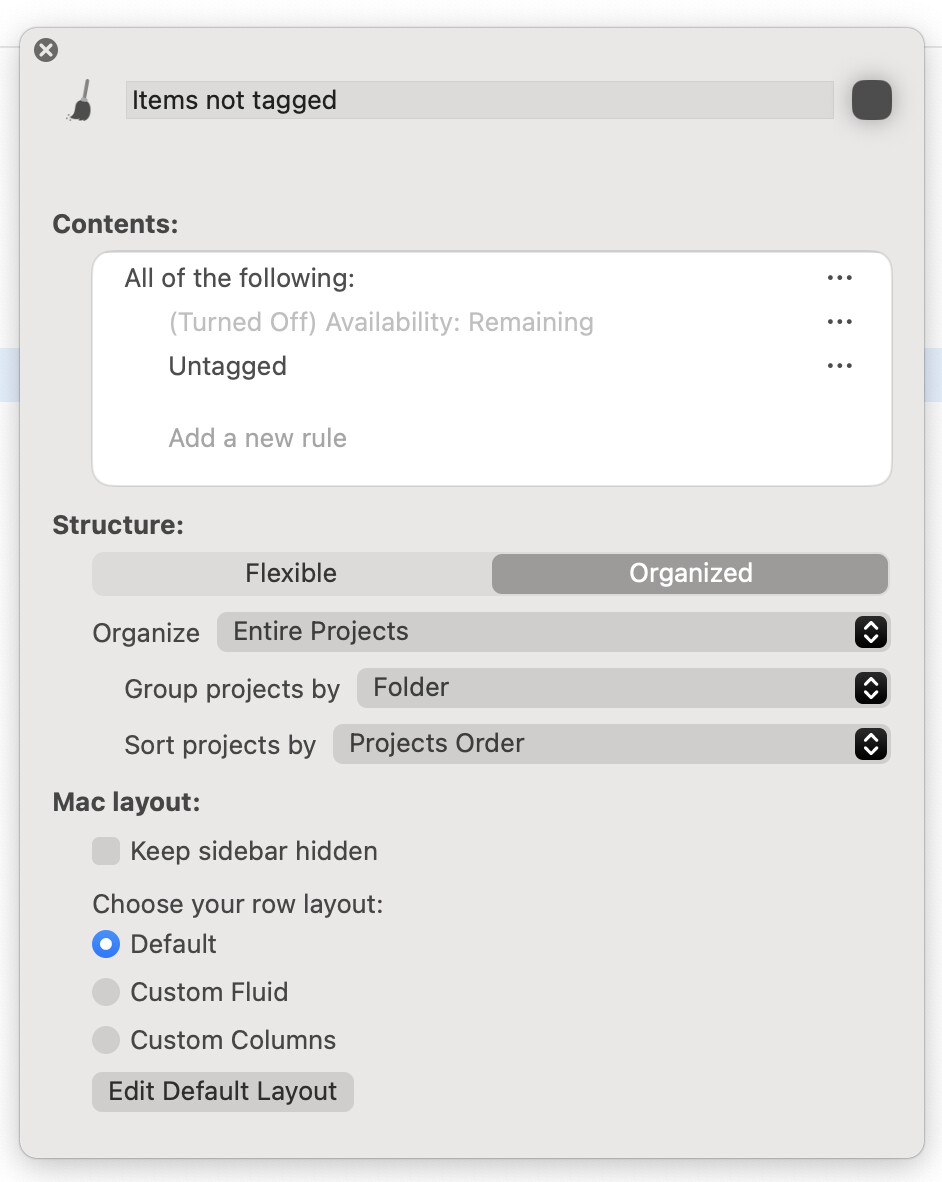
You can create a perspective which only shows actions/projects which are not tagged with any of your new tags. That will show you how many you have left to do.
It’s not automatic. But there may be quick wins, and on macOS you can (I believe) select multiple items to do the same action on, so if there are ways in perspectives for you to highlight significant numbers of actions, you could add the new tags all at once.
When I updated my tagging system (just a few weeks ago with the launch of 4.7) I used the opportunity of my weekly review to reassign tags. During the WR, I’m looking at every task anyway just to confirm it’s something I still want to do, etc. Maybe use this as an opportunity to give everything a review.
In my experience, for a task you will be doing once, it probably makes sense just to do it as opposed to trying to automate it.
Since there is some mapping of old tags to new tags you might consider the following;
In the tags perspective select an old tag
Select all actions with the old tag
In the inspector
Add the new tag to the actions
Remove the old tag from the actions
The old tag should now have no actions
Delete the old tag
It is a manual process, but I suspect by the time you refine an automation script and verify/validate that it is doing exactly what you expect, you may not save much time overall.
Actually, it shouldn’t be a problem to swap tags, as you regularly go through and check all tasks as part of REVIEWS. You have to look at each task anyway, so a few clicks are no problem.
Whether it’s even worth it for you to swap your existing tags for a simple labeling structure. Actually, you should be able to see at a glance whether a task belongs to the Finance, Health, etc. category. Why do you need tags for that?
Having all tasks marked with Health as a list is also useless if I have a list under Health with “Change health insurance,” “Make doctor’s appointment XYZ,” etc. because the tasks are quite different.
It would be better to tag tasks with tags such as “📖 CONSIDER SOON,” “⌛️WAITING FOR,” “⭕️ ON HOLD,” “📡 RADARSCREEN,” “🔆 TODAY,” and for planning, tags such as “This Week,” “Next Month,” “October,” etc. and, of course, form a corresponding perspective. I grouped tasks by area using folders, e.g., “📁 HEALTH” or “📁 HOUSE & PROPERTY” with the task lists/projects [Maintenance], [Gardening], [Property], etc.
This doesn’t answer your question, but when I’m updating my entire system like this, I make a repeating task and move through it for 5-10 minutes a day. This is how I complete huge tasks (while also being thorough) in 1-2 weeks.
I also make sure I have the right backups saved in the backup folder in case I need to undo everything 🫠