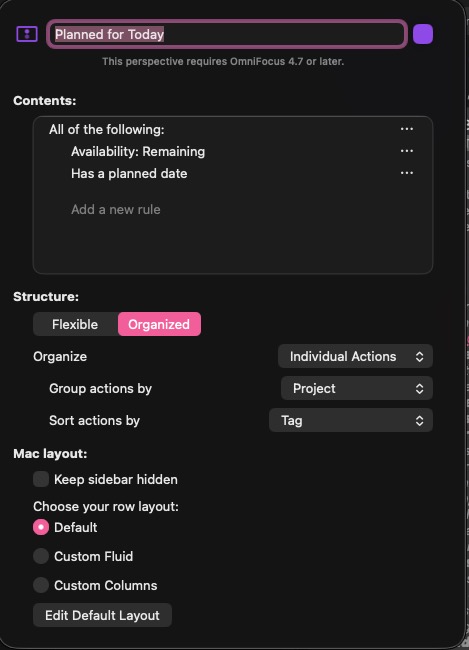
I would like to set up two perspectives one showing the items with today’s plan date and another that has a planned date that falls within the current week.
I setapp the perspective for plan dates but I do not see how to enter the date or the day range that I’m looking for
One of the built-in date range options is Today so that one is easy. For “within the current week”, try choosing Between “This Monday” and “This Monday +6 days” (adjusting as needed depending on when you want the perspective’s week to start).
To be clear, once the time is passed “This Monday”, for example it’s Tuesday, it does not skip to the Monday of the following week? Also, what is considered the first day of the week?