Is anyone else having trouble with widgets that are not the default Forecast or Index ones from the widget menu?
It seems that when I have a widget on the Home Screen or the Widget Page and select a perspective that is not the default Inbox, the widget is blank and shows placeholder UI (title, checkboxes, item title, Quick Entry icon). This happens on both default perspectives (except Inbox) and Custom Perspectives.
This happens on both iOS 26 and iPadOS 26 on my devices. It’s fine on macOS 26. And again, this is fine for the default widget settings of Forecast and Inbox (see screenshot: the only things I modified were pixelating my items in Forecast and Inbox widgets)
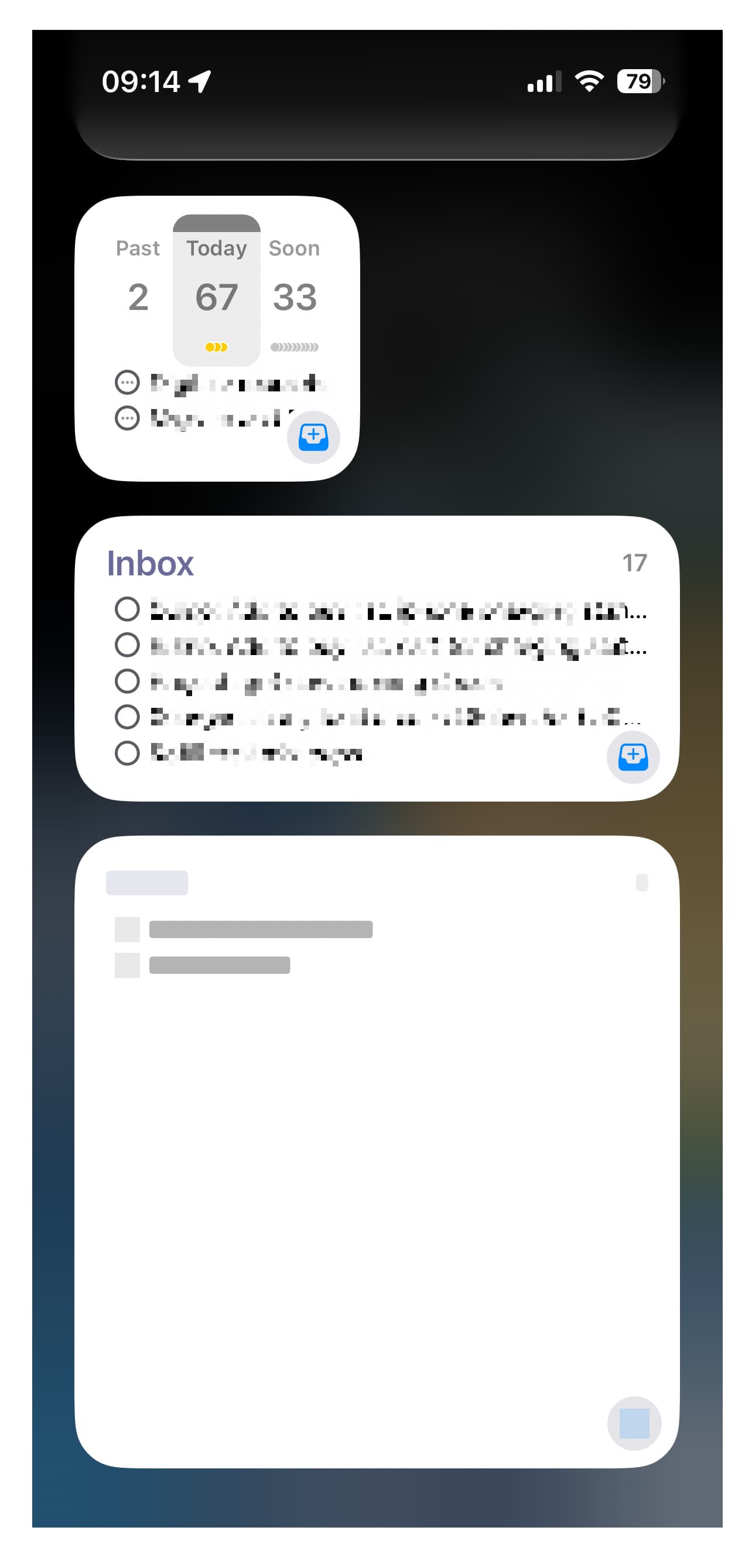
This happened around the time iOS 26 came out when I still had iOS 18, but before I upgraded iOS 26. I thought my widgets stopped working because I wasn’t on iOS 26 yet, but the problem persisted after I updated.
I even reinstalled the iPhone app. I added a new widget and it showed the contents for a day, then it went back to blank the next morning.
My current specs:
- OmniFocus 4.8.5 Pro for all devices
- iPhone 15 Pro, iOS 26.1
- iPad Pro (4th gen), iPadOS 26.1
