I’m a long-time OmniFocus user and author of a OmniFocus search workflow for Alfred - see original post back in 2016 here!
Really pleased to hear that OmniFocus will have native Kanban views later this year. If you’re curious about the experience now, my new app Flowcus lets you explore visual task management today whilst we wait for the official feature.
Flowcus is a macOS app that visualises your tasks on a customisable Kanban board. Features include:
- Drag-and-drop task management with two-way sync back to OmniFocus (via AppleScript)
- Swim lanes for different projects/contexts
- Work-in-progress limits to prevent overcommitment
- Visual identification of blocked tasks and bottlenecks
- Eisenhower matrix view for prioritisation
- and other goodies
Would love to hear thoughts and feedback if people find it useful. It’s free to download and use.
Cheers
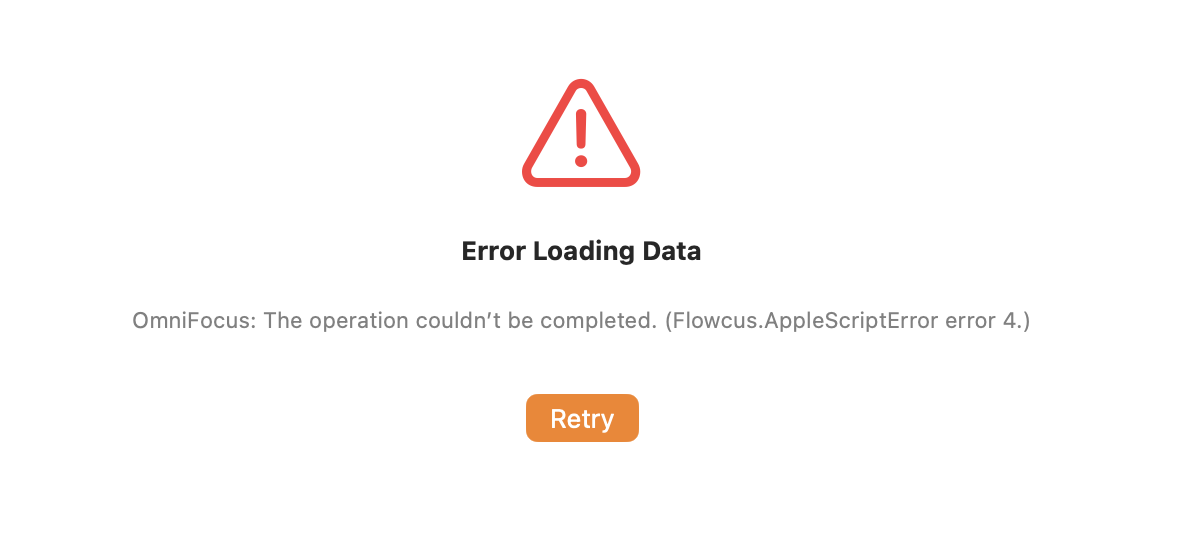
Hi @rhydlewis I have contacted you directly via feedback@getflowcus.app but currently for me the app gives an error on launch (“Error Loading Data. OmniFocus: The operation couldn’t be completed. (Flowcus AppleScriptError error 4)”). This looks interesting would like to get it up and running!
I saw similar errors, it won’t import actions from Omnifocus.
I’m on macOS15.6.1 with OF 4.8
It even had a very strange glitch where the screen was oscillating when I first opened the app
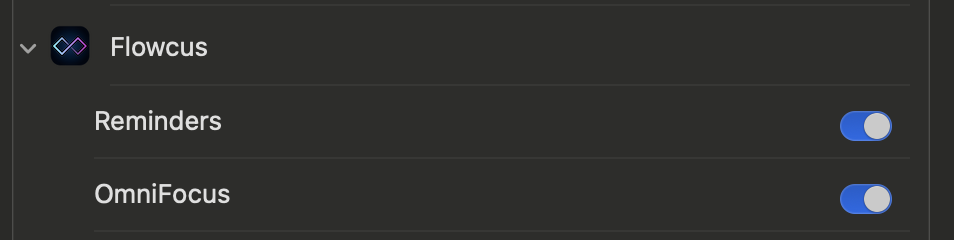
Ah that’s frustrating. Sorry it’s not working out of the box for you. Did you see a macOS permission dialog asking you to allow Flowcus to use automation to retrieve data from OmniFocus?
I got the “flicker/oscillation” too until I’d managed to connect it to Omnifocus as a source at which point that stopped, but I am still getting the error message. Incidentally I got a notification that my email to you @getflowcus was not delivered (“Despite repeated attempts to deliver your message, the recipient’s email system refused to accept a connection from your email system”)
I don’t remember seeing that dialog @rhydlewis, but that doesn’t mean I didn’t.
Ok, I’m going to investigate and see what’s causing this - apologies. @robforsyth - thanks for the heads up on the email. That’s now fixed.
Are you using OmniFocus Standard or Pro by the way? Flowcus uses AppleScript to communicate with OmniFocus which requires the Pro edition.
I’ve uploaded a new version of Flowcus with better logging and the option to include the log files when sending feedback (Help > Send Feedback). If you download the latest version from https://getflowcus.app, run the app and then send me the log file I can take a look (you’ll need to attach the log file to the email). Also, if you can check whether Settings > Privacy & Security > Automation includes an entry for Flowcus that will help me narrow down the problem. Thanks!
Thanks @rhydlewis I’ve downloaded that version.
The glitching is still happening, it still doesn’t allow me to select OmniFocus as a source for data, and Flowcus is not in the Automation section.
I blew the previous version away including Hazel sweeping away all files.
On first run, the app should be asking you to approve use of automation. Without that, it won’t work. Obviously I need to improve this experience. Really appreciate your time and feedback. I’ll continue to investigate.
Update: found the bug and now working on a fix.
Updated version with welcome guide for new users added and fixes for the really annoying (and stupid 😖) bug you saw. Thanks for your patience. Would love to know how you get on.
v0.2.6-156 available here or direct download
Another user has reported a problem in that the automation approval doesn’t appear. I’m looking into it.
Hi @rhydlewis, is it possible the issue could be caused by using MacOS 26? I’m on that system and I tried installing the latest version, but I don’t see Omnifocus tasks (I’m using the Pro edition) and Flowcus doesn’t appear in the automation tab in Privacy and Settings. Also, I am using Beta Omnifocus intalled via Tesflight, it it have any importance
Just to report this still isn’t working for me. With version 0.2.6 build 156 (and Omnifocus Pro 4.8 (v184.0.730) I do now get the on-boarding screens and a dialog box asking me to “locate Omnifocus” but then get the same error message as before
Thanks for the feedback - spotted the underlying problem (it’s really annoying) and have a fix undergoing testing now.
I think the annoying bug (actually multiple bugs 🤦) are resolved. Latest version v0.2.6-223 is available for download. Thanks for the feedback and details robforsyth, aczkolwiek and Geoffairey.
- Changes to new user onboarding detailed here
- Short video demoing available on same page or direct here
Any problems/questions/feedback - do drop me a line here or at support@getflowcus.app. Thanks.
Thanks @rhydlewis I am now setup. 😀
I was expecting my existing tasks to be available in Flowcus, but none of those are surfaced. Is it only tasks I add through Flowcus which can be managed in Flowcus? - Ignore, this is now showing my tasks
I was also expecting to be able to set which tag would define where in the Kanban a task showed up. I already have mutually exclusive status setup (backlog/planned/WIP/Blocked/Waiting)